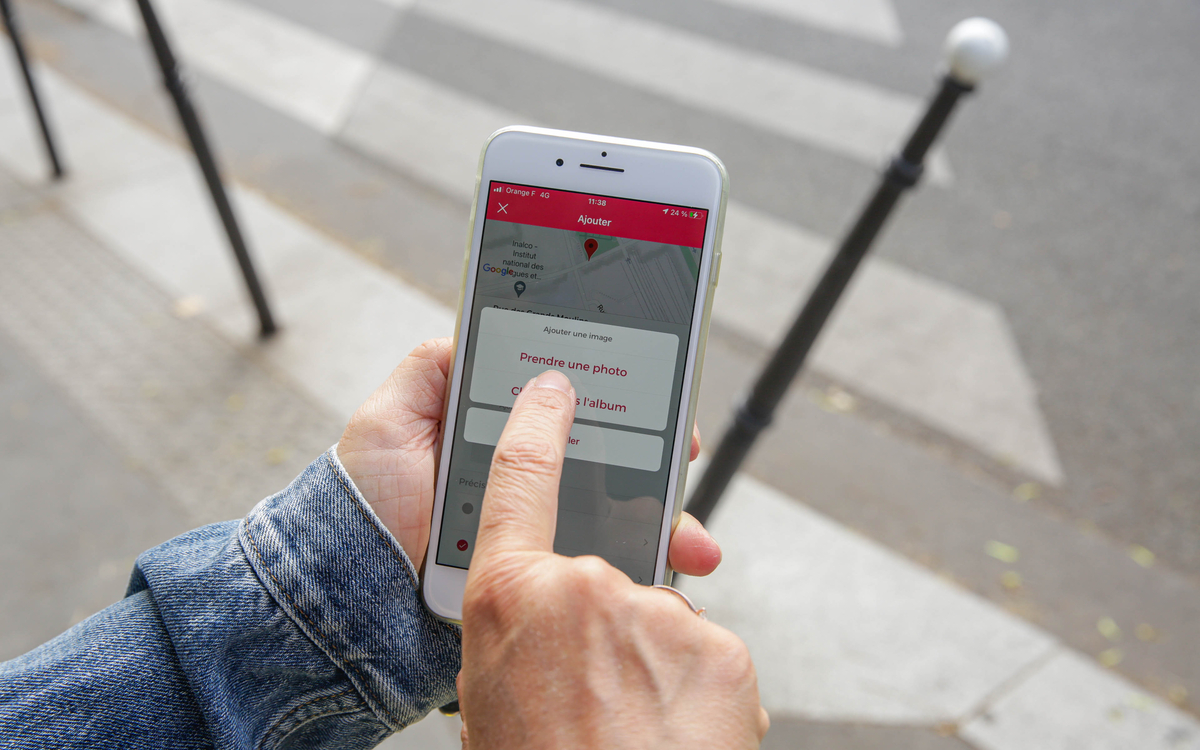
To ensure fast, efficient processing by City of Paris teams, here are a few tips and tricks on how to make the most of the DansMaRue application.
Garbage on the sidewalk, graffiti on a wall, a wrecked bicycle… thanks to the Dans Ma Rue application, you can inform the City of Paris services of any anomalies you encounter in public spaces. Cleanliness, parking, furniture, roads, parks and gardens… report any kind of malfunction! However, a few precautions are necessary to ensure that your report is processed quickly and efficiently. Follow the practical guide for maximum use!
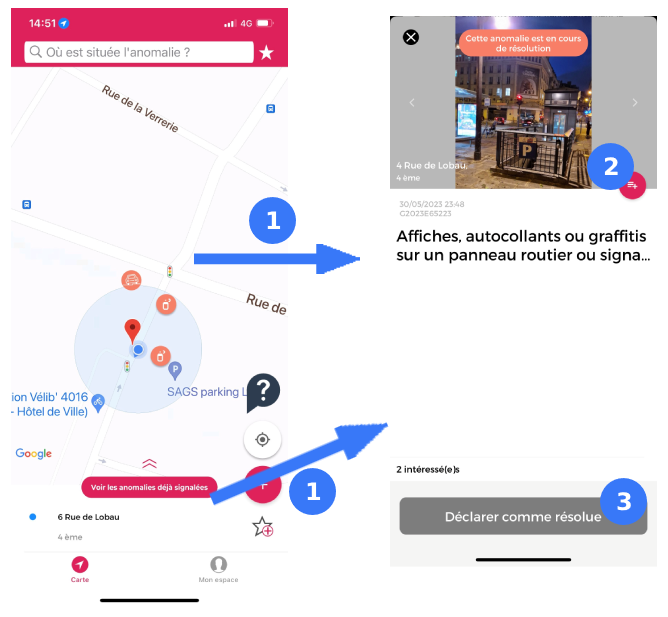
Check that the alert you are about to transmit does not already exist
Before starting your report, check that the anomaly has not already been indicated by someone else. If it has, there's no need to report it again.
If you inadvertently declare an entry that has already been made by someone else, it may be closed, purely and simply in favor of the first entry. DansMaRue does not allow you to process and inform users of duplicates, triplicates, etc. in parallel.
Would you still like to be kept informed of how the anomaly is being handled? You can "follow" it to receive all messages concerning its progress, in the same way as the first signaller.
Check the address precisely
An incorrectly localized report is one of the first causes of rejection. To ensure that your report is not processed, you can enter the address in one of 3 ways:
- Geolocation: positioning is automatic, but smartphones are sometimes inaccurate. Check that the proposed address corresponds to the location of the anomaly.
- The search bar: enter the most precise address possible (name and number of lane, square, street, etc.).
- The map: position the cursor precisely and check that the address shown corresponds to the location of your entry.
If the address does not appear, or if you wish to give more precise details to help locate the anomaly, you can give details in the free "description" field.
Choose the right type of report
Does your problem concern cleanliness, roads or street furniture? If your report is properly qualified, our teams will be able to deal with it appropriately and efficiently. To enter the type of problem, you can :
- Use the tree structure: click on the main theme to which your anomaly belongs, then refine your qualification by clicking on the corresponding sub-themes.
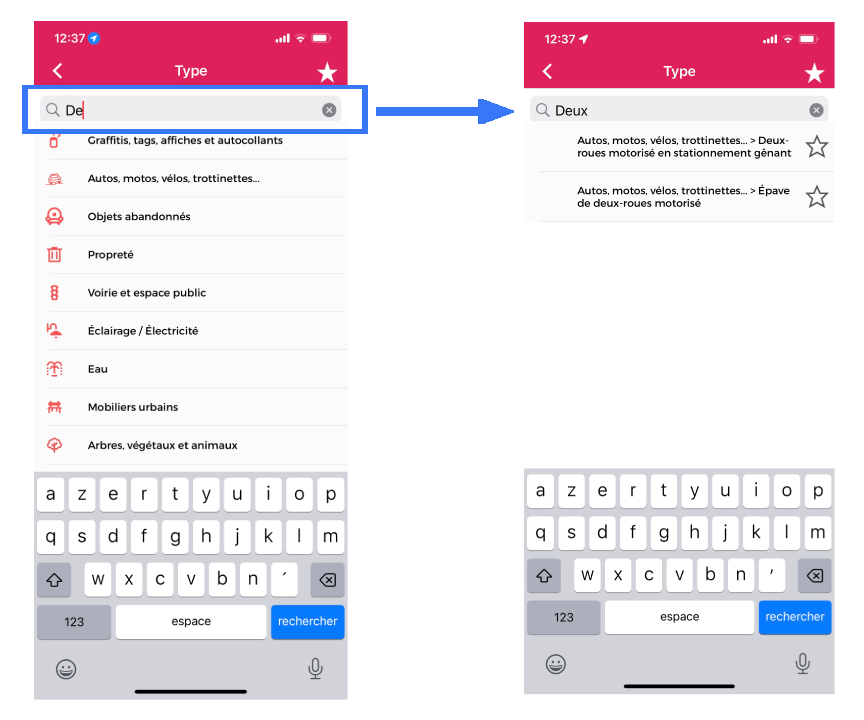
- Use the search engine: type in the word you think best fits the situation (e.g. graffiti, parking…) then click on the corresponding qualification. If no suggestion appears, try another word or spelling.
Tip 1: When you see a star to the right of a report type, this means that you cannot choose a more precise qualification. If there is no star, you can click on the proposal to discover more precise sub-themes.

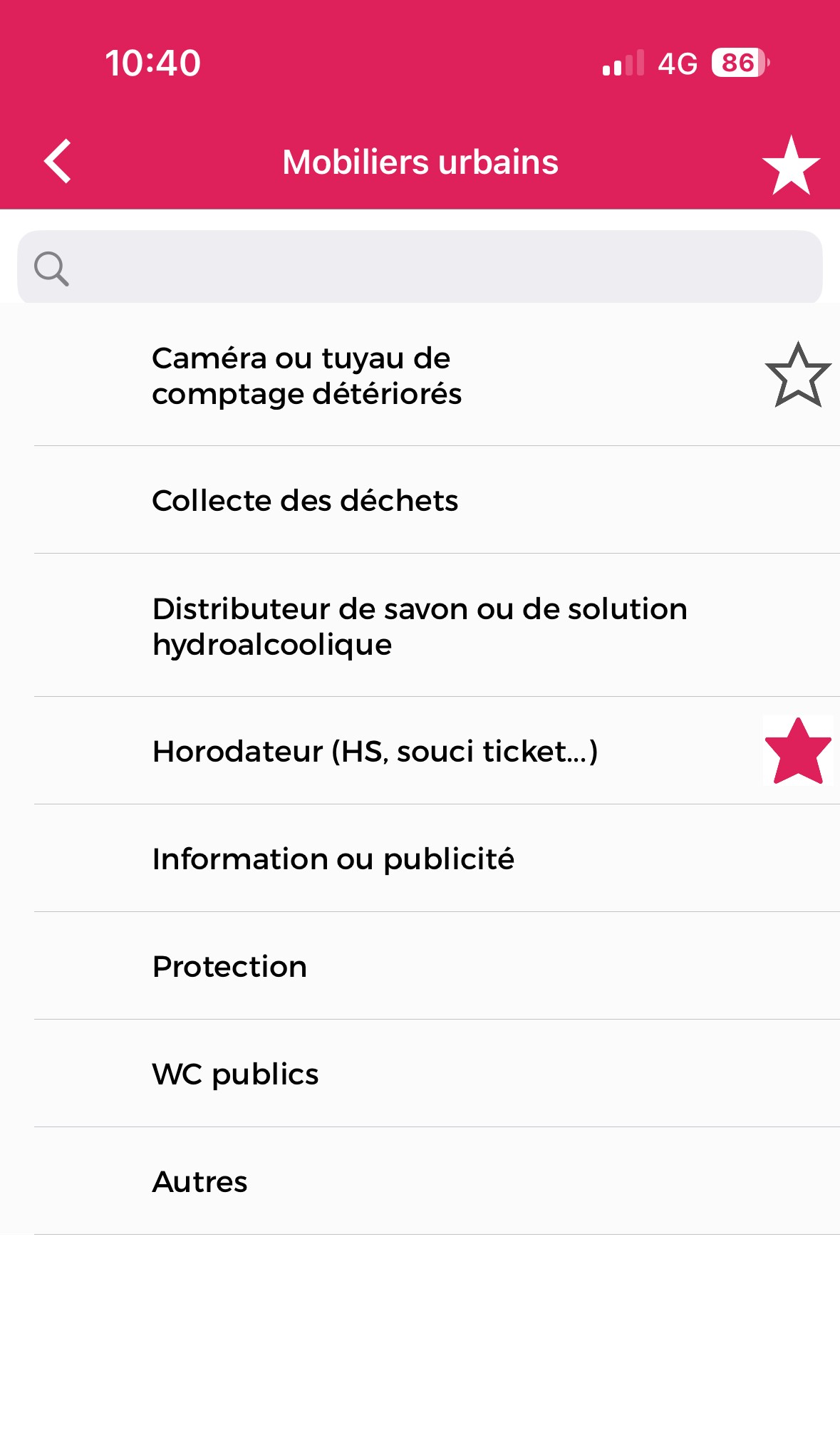
Tip No. 2:If you've made several reports on a given type, you can select it directly as a favorite for subsequent visits. To do this, click on the star. Once bookmarked (when the star is full and red), you can access it directly by clicking on the white star at the top right of all tree search pages.
Tip n°3:When you use the search bar, typing more than two characters in the search engine gives you access to all items containing this entry. It's up to you to select the most appropriate one by clicking on it.
Add photos
Providing usable photographs is an essential part of processing your report. Best practices for sending useful photos :
- Take a photo of the item you're reporting,
- Whenever possible, don't hesitate to attach a second photo, so that you can provide both a detailed and an overall picture. This will give the city a better idea of the urgency of the situation, and enable it to define more rapidly the resources to be deployed,
- Avoid blurred photos,
- Avoid photos that are too close together, which lose their meaning,
- As far as possible, avoid photographing the faces of passers-by,
- Do not photograph people with the aim of denouncing them.
Please provide as much information as possible the processing of your report
The Description field is used to provide additional information where necessary. You can specify details that would not appear in the type of report, photo or address. For example: Signature of graffiti, Name on posters, License plate of a parked vehicle, Description of the nuisance or danger caused by the notice, Details of the address (median, traffic circle, square… without number), etc.
A report with additional information will be better located and understood. This will shorten response times.
Assess priority correctly
The last field to be completed corresponds to the Priority. This subjective element is left to the user's discretion. On receipt, the City's agents evaluate all reports before taking action. This criterion is used to refine the analysis.
There's no need to overestimate the dangerousness of an anomaly, in the hope that it will be treated more quickly.
Do's and don'ts
Behind their computers and smartphones, our agents work 364 days a year, 24 hours a day, to respond as quickly as possible to your reports.
Politeness and kindness are therefore the order of the day.
Deliberately repeating a report several times, even on different days, does not speed up processing. If you wish to emphasize the urgency of an alert, the Description and Priority fields are there for that purpose.
DansMaRue is a participative reporting tool for incidents and anomalies in the Public Space. It is not a denunciation tool. It must not be used to attack anyone. Insulting remarks will lead directly to rejection of the report.
Warning: we remind you that any photograph that does not respect image rights and the respect of individuals may result in the closure of the report, or even legal proceedings.